
Trade on MT5 with Libertex
Trusted by millions of traders worldwide for its simplicity, powerful tools, and automated trading capabilities.

$1 Start

300+ Instruments

High-Performance Infrastructure
Install MetaTrader 5
Download and install MetaTrader 5 in just a few simple steps to start trading.

1. Access

2. Install

3. Log In

4. Trade
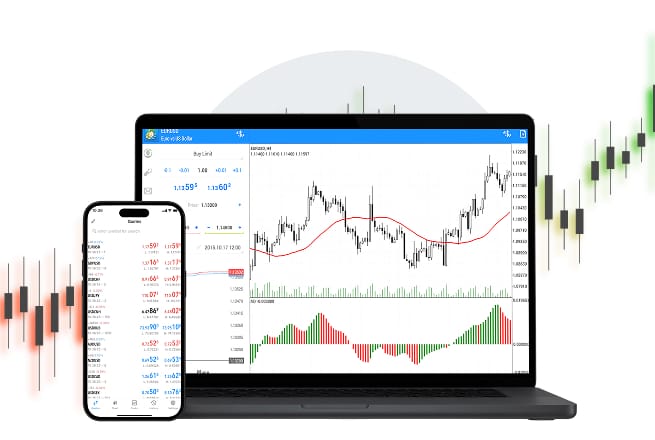
Why is MT5 the Future of Trading?
Trusted by millions of traders worldwide for its simplicity, powerful tools, and automated trading capabilities.

Superior Analytics

Integrated Economic Calendar

Advanced Order Types

Faster Execution
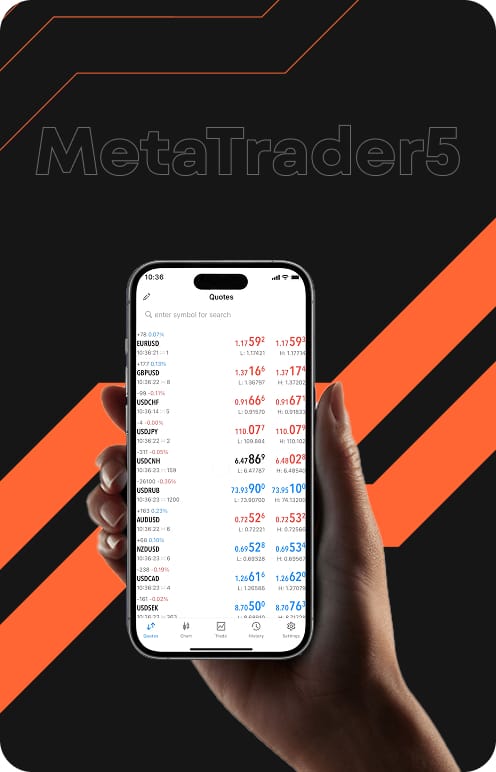

Download MetaTrader 5
MT5 is considered the world's most popular professional trading platform.

Desktop terminal
Full-featured MT5 terminal for Desktop.

Mobile app
MT5 for mobile and tablet devices.

Web platform
Open the full terminal in any browser.

Download Libertex Wallet for MetaTrader
Manage, fund and track all your MetaTrader accounts from one secure wallet.
Compare MT4 and MT5
| MetaTrader 4 MT4 | MetaTrader 5 MT5 | |
|---|---|---|
| Technical Indicators | 30 | 107 |
| Timeframes | 9 | 21 |
| Chart Items | 24 | 35 |
| Markets | Forex and CFDs | Forex, stocks, indices, oil & gas, agriculture, cryptocurrencies, ETFs, metals and more |
| Depth of Market | No | Yes |
| Economic Calendar | No | Yes |
| Strategy Testing | Single-threaded | Multi-threaded, real ticks |
| Hedging | Yes | Yes |
| Order Types | 4 types | 6 types (incl. stop-limit) |
Frequently Asked Questions (FAQ)
What is MetaTrader 5?
MetaTrader 5 is the latest multi-asset platform designed for trading forex, stocks, futures and more. It provides superior analytical tools, including more timeframes and indicators than MT4, for a comprehensive trading experience.
Is MT5 free to download?
Yes, the MT5 free download is available to all Libertex clients at no cost. There are no fees for the platform itself, whether you download MT5 for desktop, use the mobile app, or trade via your web browser.
Does MT5 work on a Mac?
Absolutely. Libertex provides a dedicated MetaTrader 5 download for macOS. If you prefer not to install the software, you can use our web platform, which runs natively in any browser on your Mac.
Can I use my MT4 credentials for MT5?
No, MT4 and MT5 are separate platforms. You will need to create a dedicated MT5 account via your Libertex profile to access the MetaTrader 5 network.
What is the difference between MT4 and MT5?
MT4 is the time-tested industry classic primarily for forex. MT5 is the next-generation evolution, offering 21 timeframes, 107 indicators, a built-in economic calendar, and support for a wider range of assets like stocks and ETFs.
Is MT5 safe and secure?
Yes, MT5 uses high-level encryption to protect all data transmission. Trading with Libertex also means you are backed by a multi-regulated group with over 28 years of history and 40+ international awards.
How can I create a MetaTrader 5 real account?
First, sign up on the Libertex website. Once verified, you can make your first deposit and select "MT5" as your active platform to begin trading live markets.
How can I download MT5 on my laptop?
Click the "Windows" or "macOS" button in the Download section above to trigger the setup file. Once downloaded, run the installer to complete your MT5 setup on your device.
How can I install MT5 on Mac?
Download our dedicated DMG file for macOS. Open the file and drag the MT5 icon into your "Applications" folder to install the platform seamlessly on your MacBook.
Can I use my MT4 Expert Advisors on MT5?
No, MT4 Expert Advisors (written in MQL4) are not directly compatible with the MT5 platform. MetaTrader 5 utilises the MQL5 programming language, which is significantly more powerful and offers superior execution speeds and performance for automated trading strategies. If you are looking to advance your algorithmic trading, MT5 provides a more robust environment for sophisticated robots.
Does MT5 support hedging?
Yes, MT5 fully supports advanced hedging capabilities. When trading with Libertex, you can utilise the hedging mode to open multiple positions in different directions on the same instrument simultaneously. This feature provides greater flexibility for sophisticated risk management and professional trading strategies.
How do I open a demo account on MT5?
To create a demo account in MT5, simply click the "Open Demo Account" button on this page. You will receive virtual funds to practice your multi-asset strategies across all available markets, including stocks, indices, and crypto, allowing you to familiarise yourself with the next-gen platform without risking real capital.
What markets can I trade on MT5?
MetaTrader 5 is a true multi-market platform, offering access to a much wider range of instruments than its predecessor. With Libertex MT5, you can trade CFDs on forex pairs, global stocks, major indices, commodities (energy, metals and agriculture), cryptocurrencies and ETFs, all within a single, high-performance interface.